Counting without counting
A digital Mölkky score counter and scoreboard. Tap the pins that fell, and it handles the numbers, the exact fifty and the misses.
Updated August 13, 2026 · 3 min read
A Mölkky score counter does three jobs a person does badly: it applies the two scoring modes correctly, it tracks how far each player is from exactly fifty and drops them to twenty-five if they go over, and it counts three scoreless throws in a row. The 12pins counter is free, needs no account, and works with no signal.
How it works
The scoreboard shows every player and their running total, with the current thrower highlighted. Below it is the pin formation.
You tap the pins that went over. Tap one, and the app scores its number. Tap three, and it scores three. Tap nothing and confirm, and it records a miss. That is the whole interaction — it mirrors what actually happened on the grass rather than asking you to do the arithmetic first and type in a number.
Then it does the parts people get wrong:
- Adds the correct score, using the right mode for one pin versus several.
- Checks the total against fifty, and drops the player to twenty-five if the throw would have taken them over.
- Increments the miss count on a scoreless throw, and clears it on any score.
- Moves to the next thrower.
Why not a paper score sheet?
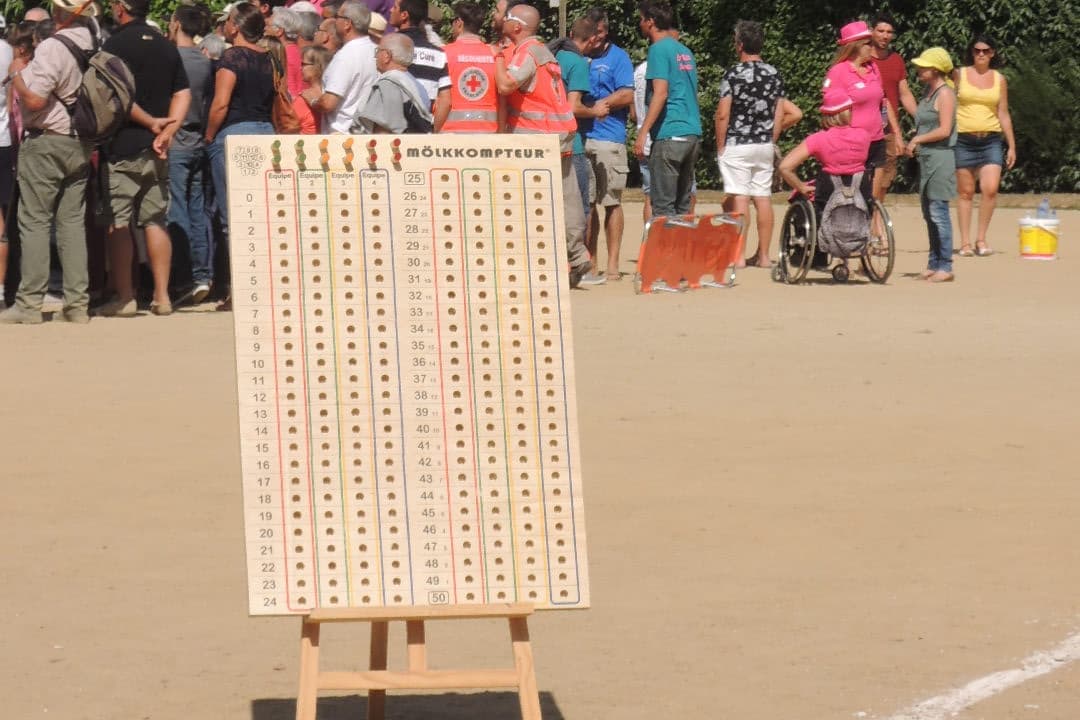
For two players, a paper sheet is genuinely fine. Draw two columns, write running totals, done.
It falls apart with more than three players, because someone has to add up and check against fifty for each of them every round, and that person is not watching the throws. It falls apart in the last ten points, when the useful question stops being "what is my score" and becomes "what exactly do I need" — which is a subtraction nobody does reliably while holding a drink. And it falls apart at dusk, which is when most garden games are played.
If you do want paper: write the running total, not the throws. Mark misses as dots beside the total. Cross out and rewrite rather than keeping a running sum in a corner.
Undo
Someone taps the wrong pin roughly once a game, and it usually happens on an important throw.
Undo reverses the whole throw: the points, the overshoot penalty if one was applied, the miss count if it changed, and the turn order. It is not a "subtract some points" button — it puts the game back exactly where it was.
Works offline, which is the point
The counter runs on the device. No connection is needed to start a game, score a throw, undo, or finish. This is not a nice-to-have for a lawn game: the places mölkky gets played — parks, campsites, the far end of a garden — are exactly the places with one bar of signal.
More about the app covers what else it does, and what an account adds if you want your history to follow you between devices.
Free, and no account to play
Add names, tap pins, done. It handles the exact fifty, the drop back to twenty-five and the misses while you play.
Open the scorekeeperRelated
How Mölkky scoring works — the rule the counter implements, with worked examples. Reaching exactly fifty — why the gap to fifty is the number that matters.
Frequently asked questions
Is there a digital Mölkky scoreboard?
Yes. The 12pins scorekeeper is a digital scoreboard for Mölkky — you tap the pins that fell and it works out the score, keeps the running totals, and applies the exact-fifty and three-miss rules.
Can I use a paper Mölkky score sheet instead?
Of course, and for a two-player game it is perfectly fine. Write running totals rather than individual throws, and mark misses with a dot so three in a row is visible at a glance.
Does the score counter work for teams?
Yes. Teams share one score and one miss count, and the app rotates through the throwers for you so nobody argues about whose turn it is.
What if someone taps the wrong pin?
There is an undo. It reverses the last throw completely, including any overshoot penalty it triggered and any change to the miss count.
Keep reading
How Mölkky scoring works
One pin down scores its number, two or more scores how many fell. The full Mölkky scoring rule, with worked examples and the edge cases.
The Mölkky app
A free Mölkky app that counts the points, keeps your statistics and links your games to your friends'. No account needed to play, no advertising.
Let the app do the counting
Exactly fifty, the drop back to twenty-five, three misses and out. Add names and start scoring in ten seconds — no account, no signal needed.